In short
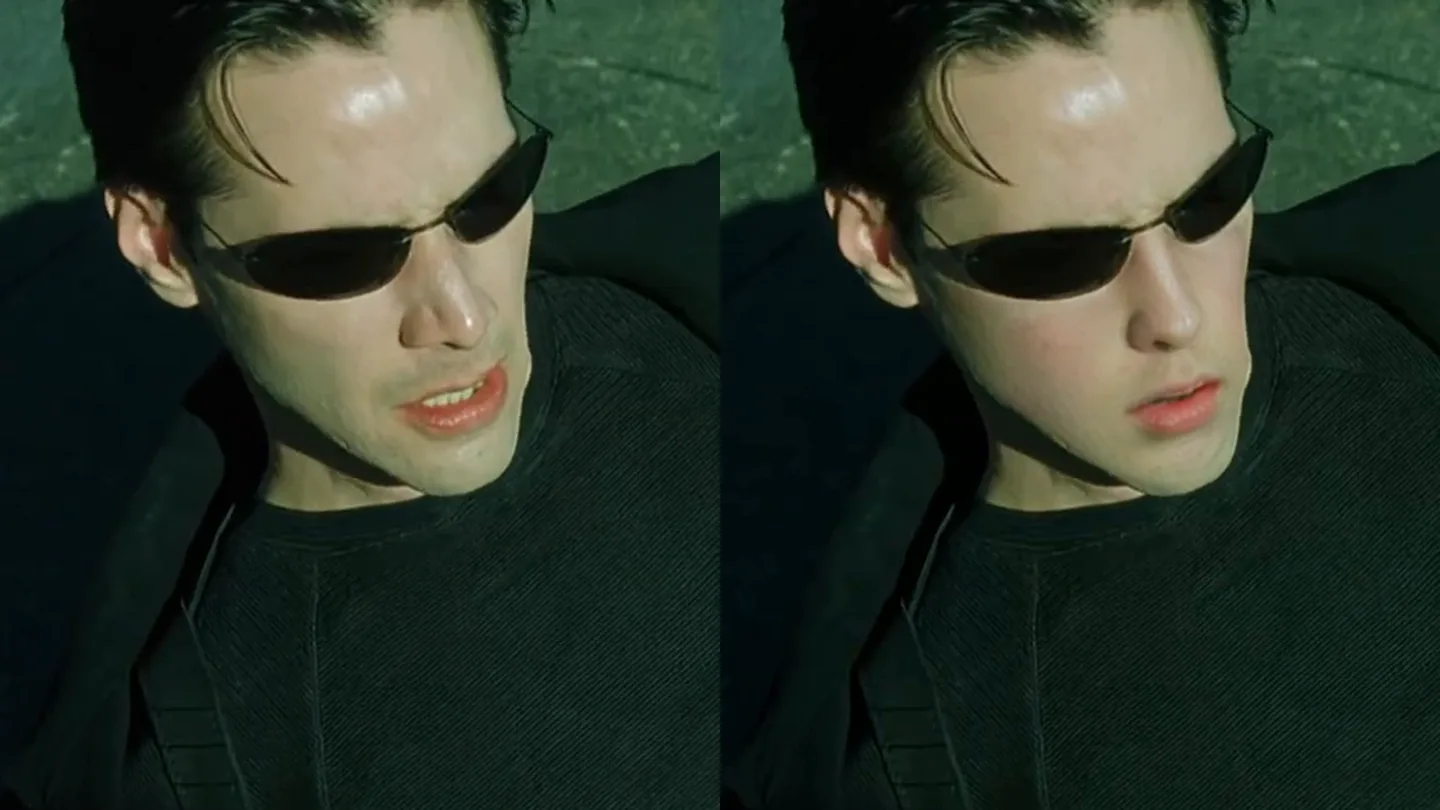
I wanted to see myself in one of the best-known scenes in film: the “Dodge this” rooftop fight from The Matrix. The video stays exactly the same, except that Neo has my face.
I did it with free, open-source software that learns a face from ordinary photos and paints it onto every frame where Neo appears. The heavy work ran on a rented graphics card in Google Colab for about nine minutes, and the whole experiment, tests included, cost less than one Colab compute unit.
The close-ups work well. The fastest bullet-time shots mostly still show Keanu Reeves, because his face there is tiny, blurred or upside down. The sections below explain how it was made and where it falls short; the technical ones are folded.
The result
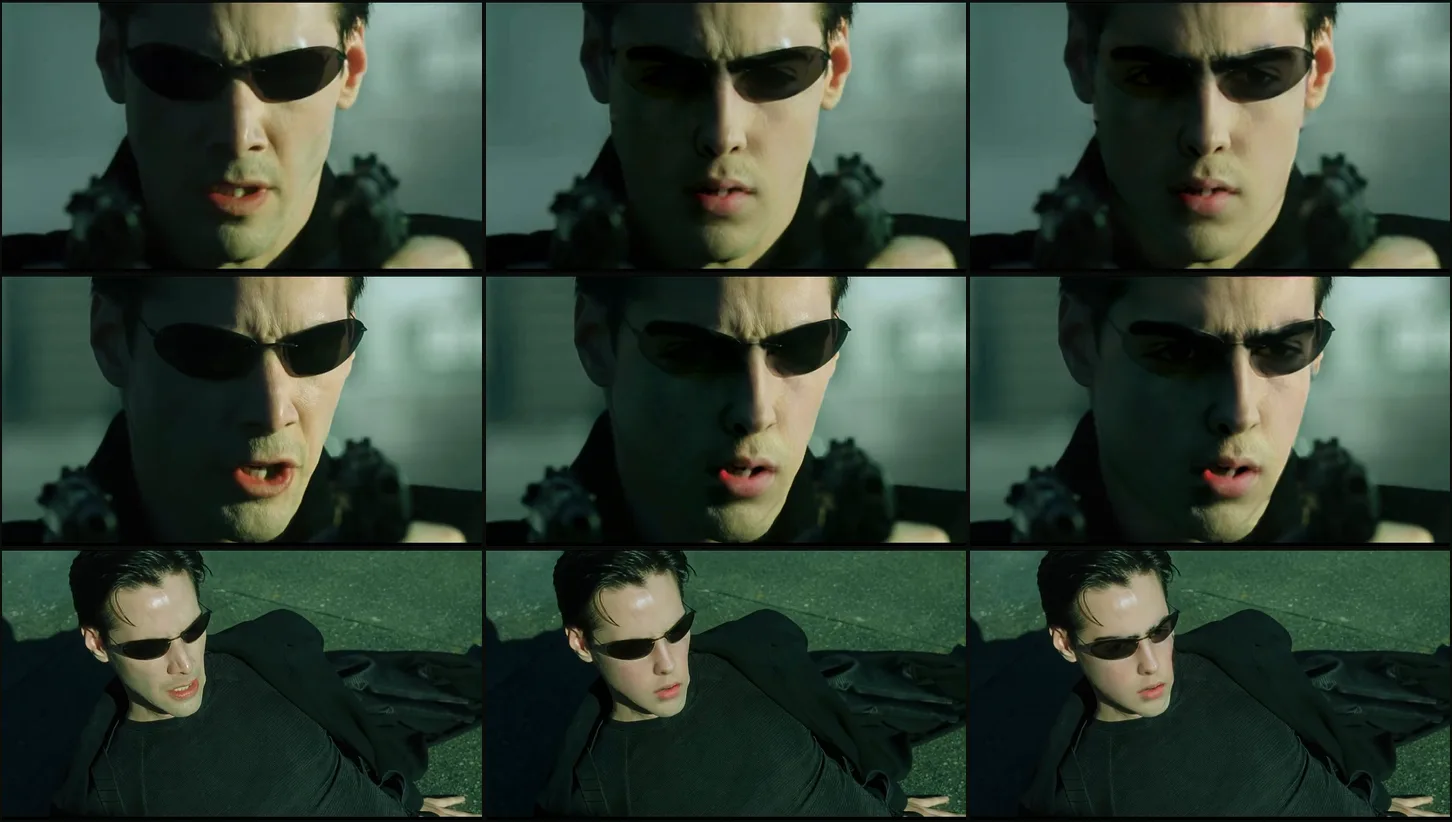
My face is on Neo in about 420 of the clip’s 1684 frames, which covers most of the shots where his face is clearly visible. The strongest moments are the close-ups at 0:28–0:34 and Neo on the ground at 0:51–0:56. The sunglasses stay as they are in the film, dark lenses and reflections included.
In the shots of Neo from behind or in profile, there is no face to change, so those frames are the original. I checked one frame from every second of the clip for faces swapped by mistake and found none. The real gap is bullet time, covered further down.
What went in
Two inputs: the scene, and photos of me. The only copy of the scene I had was the YouTube upload, 1280×720 at 23.976 frames per second, so the edit can be no sharper than that.
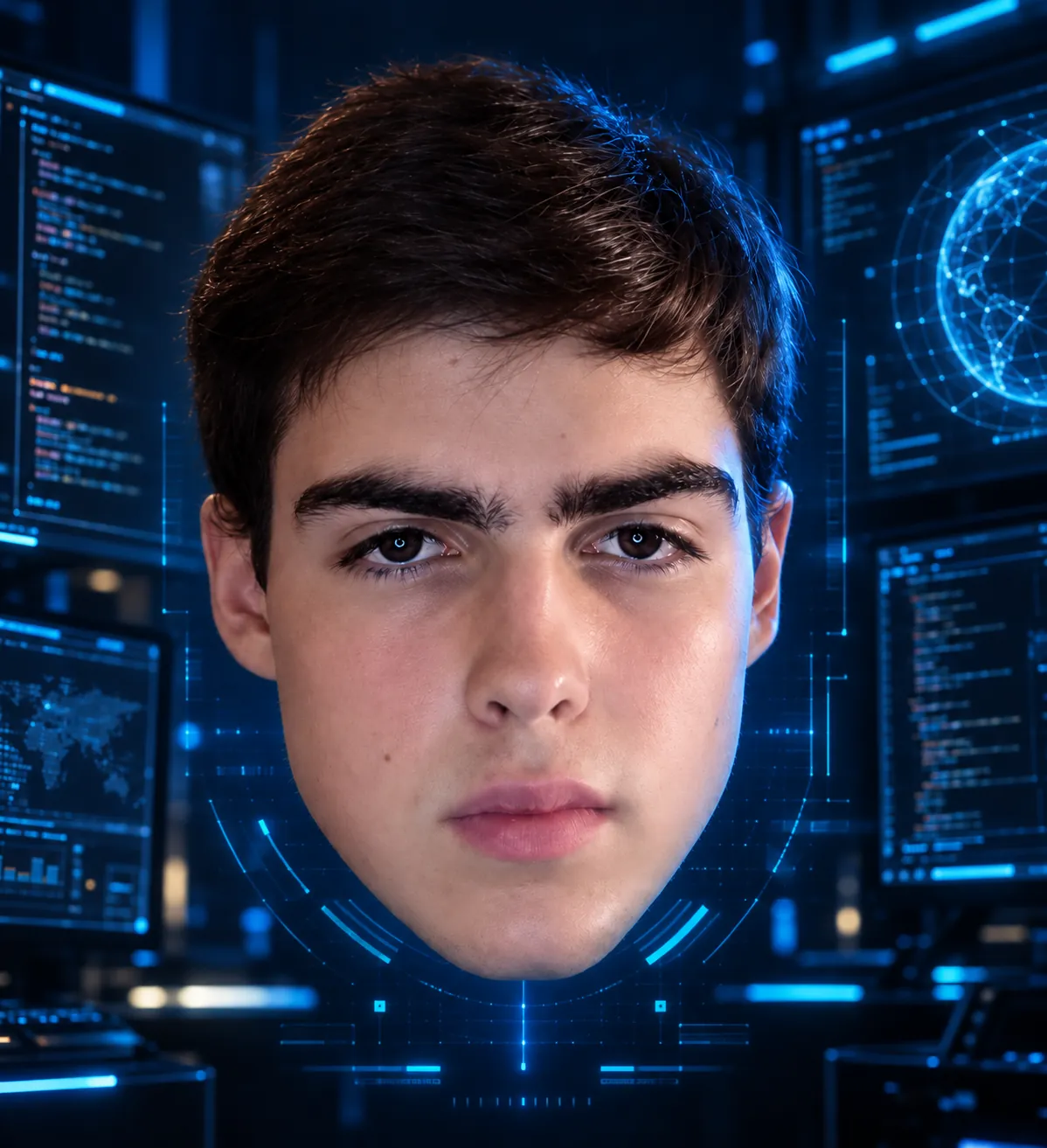
For my face I used a folder of 57 photos from a photoshoot. I kept 21 of them: my face clearly visible, without glasses, and from a spread of angles. More angles matter more than more photos of the same pose, because the scene shows Neo from below, from the side and lying down.
The tool is FaceFusion 3.9.2, an open-source face-manipulation platform. For every frame it detects faces with a YOLO-based detector, finds five landmarks on each, and aligns the face to a fixed template. The swap model then takes that aligned crop and an identity vector, and generates the same face pose, expression and lighting with the new identity.
The identity vector comes from ArcFace, a face-recognition model. FaceFusion computes one vector per reference photo and averages them, so 21 photos give one steadier identity than any single photo would.
Only Neo should change. I pointed FaceFusion at a reference frame, 672, a front-on close-up of Neo, and it compares every face it detects against that one. Faces within a distance of 0.4 are swapped, and the Agents and Trinity are left alone. I also enabled detection at 0°, 90° and 270°, because Neo spends part of the scene sideways.
The swap model generates 256×256 pixels. With pixel boost at 512×512, FaceFusion takes a 512-pixel crop, splits it into four 256-pixel tiles, runs the model on each and stitches them back, which gives a sharper face in the close-ups.
python facefusion.py headless-run \
  --source-paths ref/*.jpg \
  --target-path dodge-this.mp4 \
  --face-selector-mode reference --reference-frame-number 672 --reference-face-distance 0.4 \
  --face-detector-angles 0 90 270 \
  --face-mask-types box occlusion region \
  --face-mask-regions skin left-eyebrow right-eyebrow nose mouth upper-lip lower-lip \
  --face-mask-blur 0.4 \
  --processors face_swapper \
  --face-swapper-model hyperswap_1a_256 --face-swapper-pixel-boost 512x512 \
  --execution-providers cuda --output-video-quality 95 \
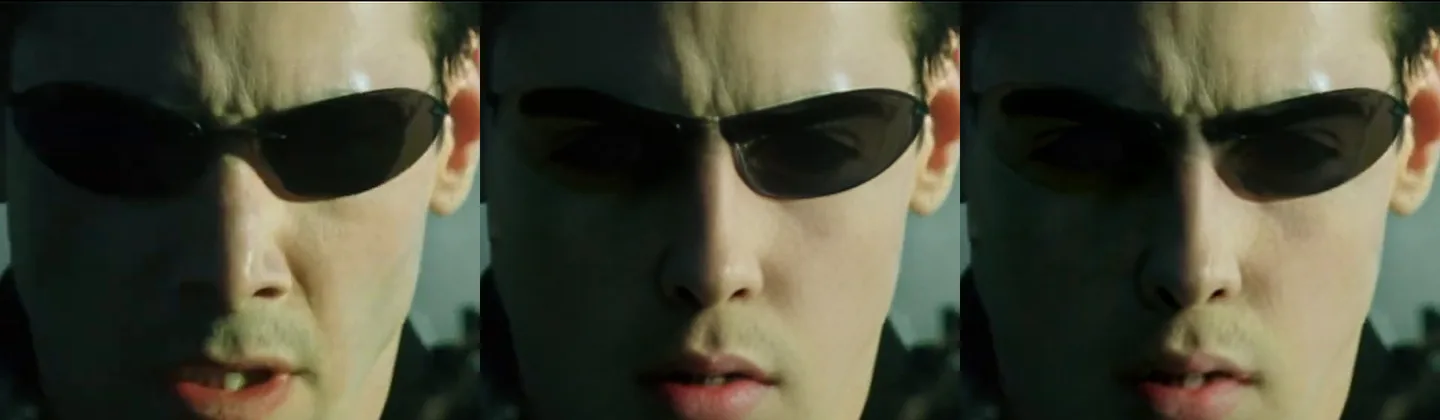
--output-path dodge-this-luciano.mp4Before rendering the whole scene, I rendered a short close-up segment twice, once with inswapper_128, the long-standing default, and once with hyperswap_1a_256. inswapper generates only 128 pixels, so in a close-up that fills the screen the face comes out soft. hyperswap kept more skin detail and followed the shadows across Neo’s face more closely, so I rendered the final with it.
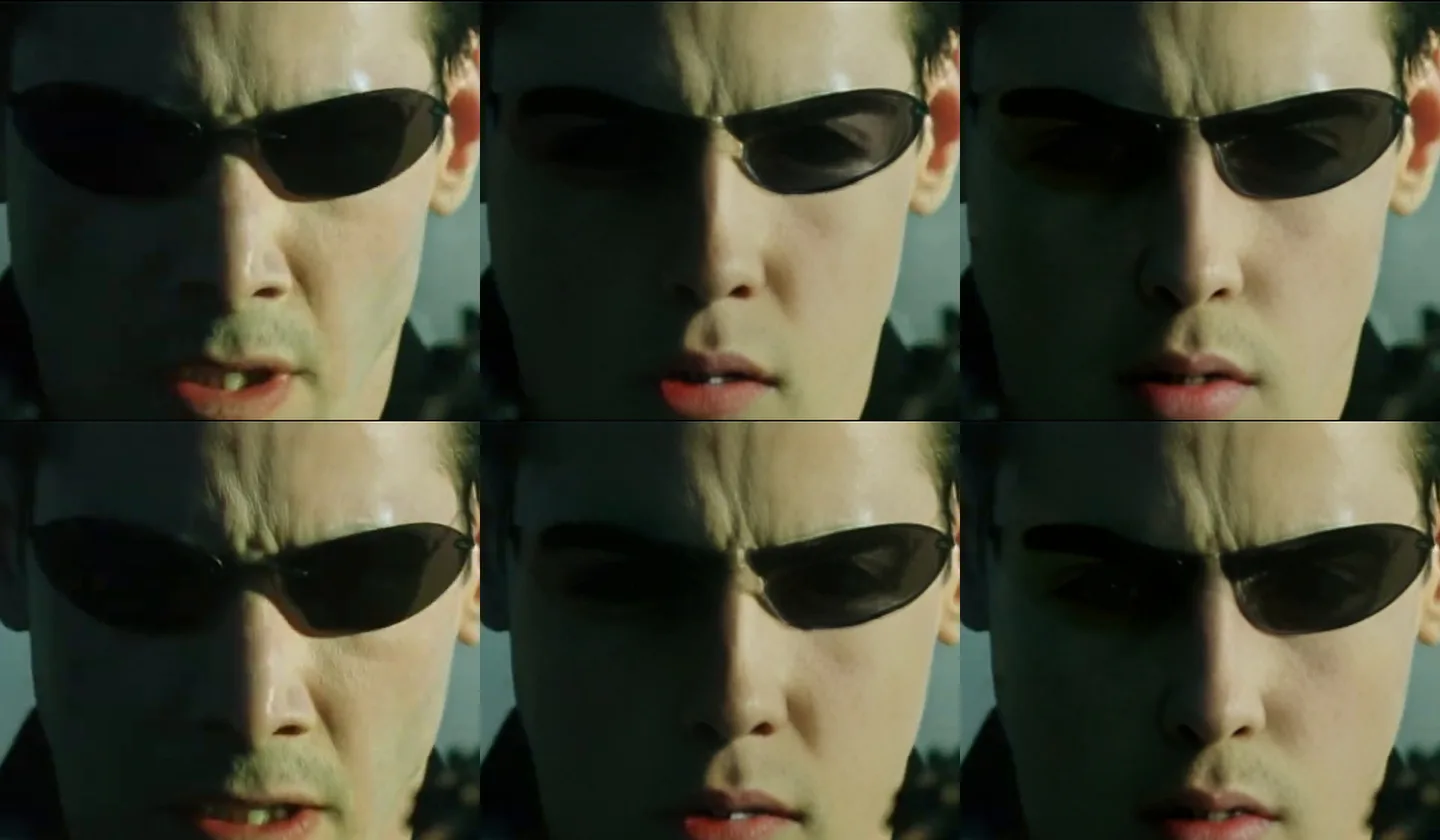
The first test changed the sunglasses. The swap model repaints the whole face crop, so my eyes and eyebrows showed through the lenses as if they were half transparent. The fix was a region mask: a face-parsing model labels every pixel as skin, nose, mouth, eyes, glasses and so on, and FaceFusion only pastes the new face over the regions I list. Leaving out the eyes and the glasses kept the original lenses on top.
The box mask feathers the edge of the crop, and the occlusion mask keeps hands and objects in front of the face from being painted over.
I also tried GFPGAN, a face enhancer that FaceFusion can run after the swap to sharpen the result. It sharpened the skin, but it also lightened the lenses until the eyes behind them showed, so the final render has no enhancer.
My own machine has no NVIDIA GPU, and FaceFusion on the CPU is fine for a single frame but slow for a whole scene. I used Google Colab instead: an NVIDIA T4, which costs 1.15 compute units per hour, driven from a script rather than a notebook. Each job uploads the clip and the photos, installs FaceFusion with onnxruntime-gpu 1.24.4 and its CUDA and cuDNN libraries, renders, downloads the result and releases the machine.
The full render of 1684 frames took 536 seconds, about 3 frames per second. All the tests and the final render together used 0.68 compute units.
A GPU set-up that is not quite right does not always stop a job, so each job first swaps one probe image and checks that its pixels actually changed before it starts on the video. Three things still went wrong on the way, and each one changed the job script:
- The output of programs the job starts never reached me, so the first failed test left no log. The job now captures FaceFusion’s output itself and always packs its logs and outputs, even when a step fails.
- My first reference frame, 575, showed the back of Neo’s head. FaceFusion found no matching face anywhere, and three test renders swapped nothing. I now check the reference frame image before rendering.
- At the end of the full render, releasing the machine needed a sign-in refresh that the script could not answer, so the T4 kept billing for a few minutes until I released it by hand. The job now confirms on Colab’s side that no machine is still assigned.
Where it misses: bullet time
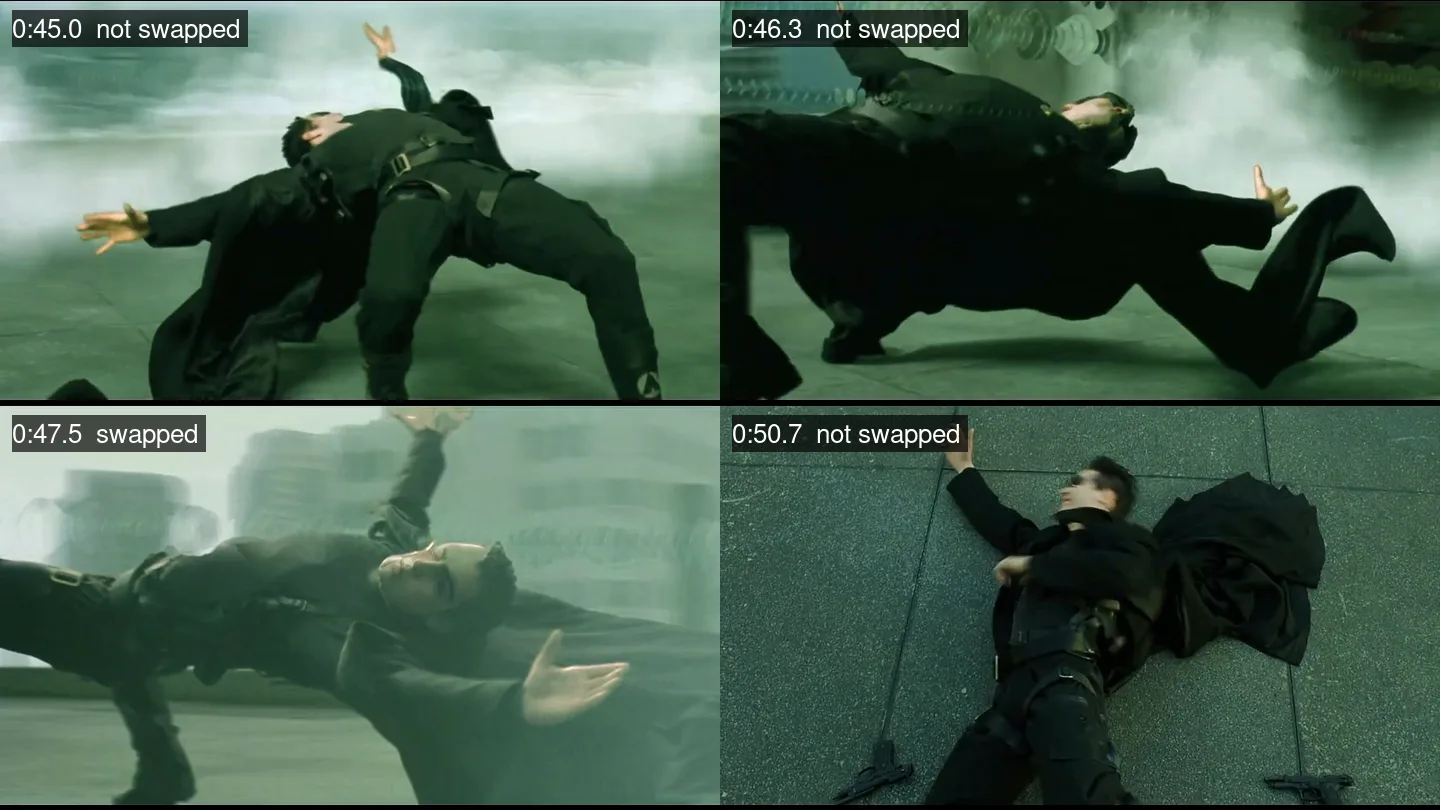
Bullet time, roughly 0:38 to 0:50, is the iconic part and the weakest part of the edit. Neo’s face is small, motion-blurred, in profile or upside down, and the face detector either does not find it or finds it too far from the reference to count as Neo. Only a few frames there carry my face, such as around 0:44 and 0:47.
It goes past fast, but it is noticeable once you know. A second pass over just that range should catch more of it: Neo is the largest face on screen in nearly every frame of it, so FaceFusion can simply swap the largest face, with upside-down detection and a lower detection threshold. I have not run that pass yet.
What about the sunglasses?
Once it worked, I asked what it would look like without Neo’s sunglasses. The simple answer is to let the swap paint the eyes too. I tested that on three frames, and it does not remove the glasses: the swap model copies what is on the original face, so my eyes end up behind half-transparent lenses, with the frames still there.
Removing them properly would take a different tool before the swap: a video inpainting model such as VACE, which redraws a masked area across frames so it stays consistent from one frame to the next. The swap would then run on the cleaned video with the eyes included. That needs a larger GPU, the result is not guaranteed in a scene this dark and fast, and it would lose the Agents reflected in the lenses, so I kept the glasses.
Ground rules
The only face I added is my own, and the Agents and Trinity are untouched. The edit is presented here as an edit, next to how it was made, and I am not uploading it to video platforms. The footage belongs to Warner Bros.; this is a personal experiment.
FaceFusion is released under OpenRAIL-AS, a responsible-AI licence that comes with restrictions on how it may be used. The same tool that put me in a film scene could put someone in a video without their consent, so I only swap in faces I have the right to use.